Atlassian · Guard Premium
Data classification controls
A classification calculation model and admin settings for when multiple methods apply to the same data - unblocking delivery of autoclassification and related Guard Premium work.
- Role
- Product designer
- Timeline
- 2025-2026
- Company
- Atlassian
Background
Guard Premium is Atlassian's enterprise security product, used by their most regulated customers to protect the security and compliance of their Atlassian data.
A key Atlassian business objective was migrating enterprise customers from Data Center to Cloud ahead of its planned sunsetting - but Cloud was missing features that made the move a non-starter for these customers. One of the most significant gaps was the ability to automatically classify data by sensitivity.
Progress on this feature was blocked by a foundational problem: the classification system had no conflict resolution logic. Multiple classification methods could apply to the same content simultaneously, with no way to determine which should take precedence or be protected from change.
I devised a customisable classification calculation model that resolved these conflicts, and designed the settings UI that allowed admins to configure it according to their organisation's security and compliance needs.
Conceiving the concept model
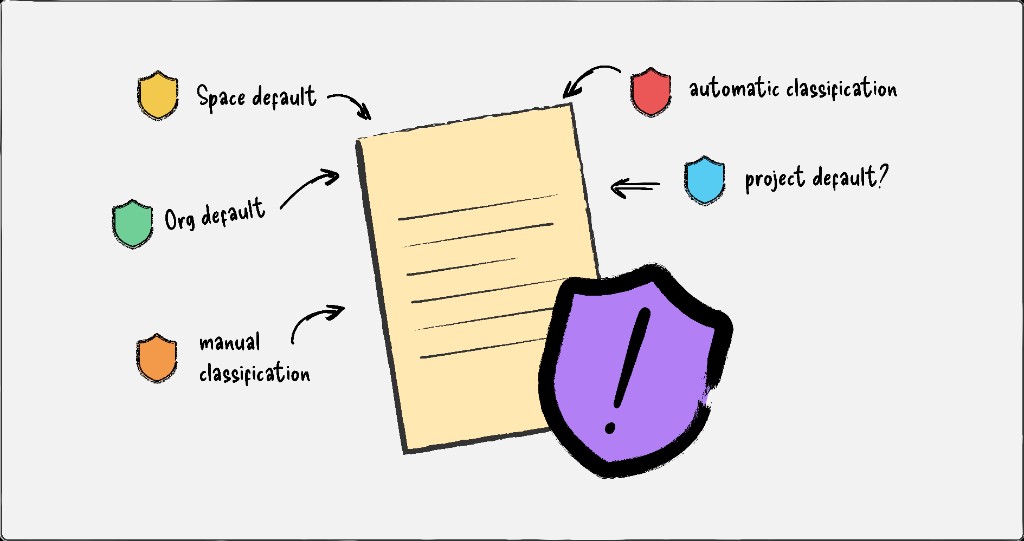
I had been working on autoclassification for some time - delivering an initial scoped version for internal testing - when a problem the team had been deferring became unavoidable: with four different methods for classifying data, which should the system use, and who decides?
The prevailing view within the team was to establish a fixed hierarchy across all four methods. But customer calls consistently showed that different organisations needed different hierarchies - a fixed approach would work for some and fail others.
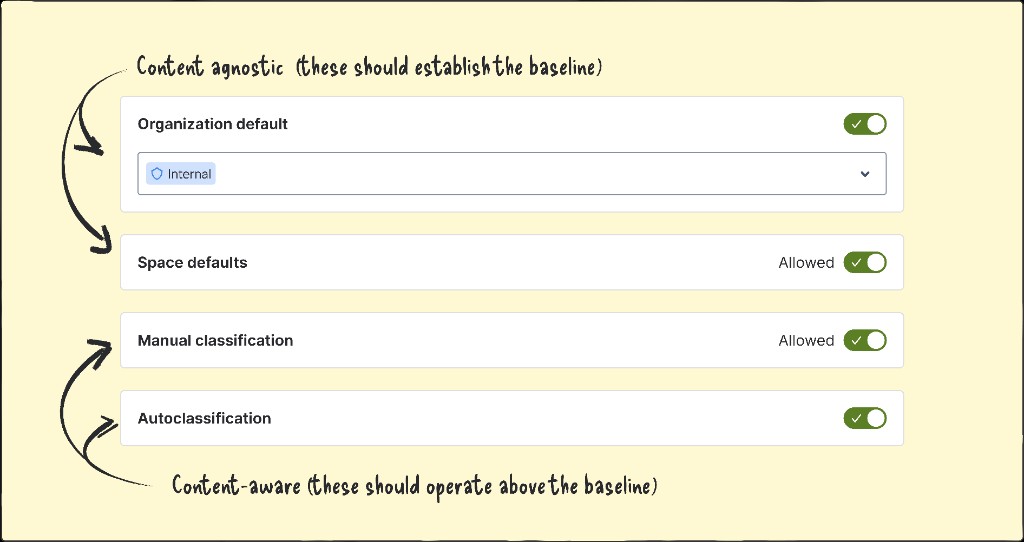
As I worked through how autoclassification settings might sit alongside the other necessary controls, I realised the team had been framing the problem wrong. The four classification methods weren't competing alternatives - they were two distinct types being treated as one. I proposed dividing them into two pairs, applied sequentially, with admins able to set the priority within each pair.
This reframe unlocked a model that was composable, predictable, and flexible enough to meet the range of needs we'd heard from customers.
Challenge: Turning a new mental model into shared conviction
The concept model had the potential to fundamentally reframe how we thought about classification, but it was a big shift from the team's existing mental models, and it wasn't yet fully landing.
To make the logic concrete, I translated the model into a set of visual artefacts: each scenario rendered as nested rectangles - pages within spaces within the org - with colour indicating how classification resolved at each level based on different admin configurations. Where the model had previously struggled to gain traction, the visuals gave it a foothold - and the conversation could finally begin.
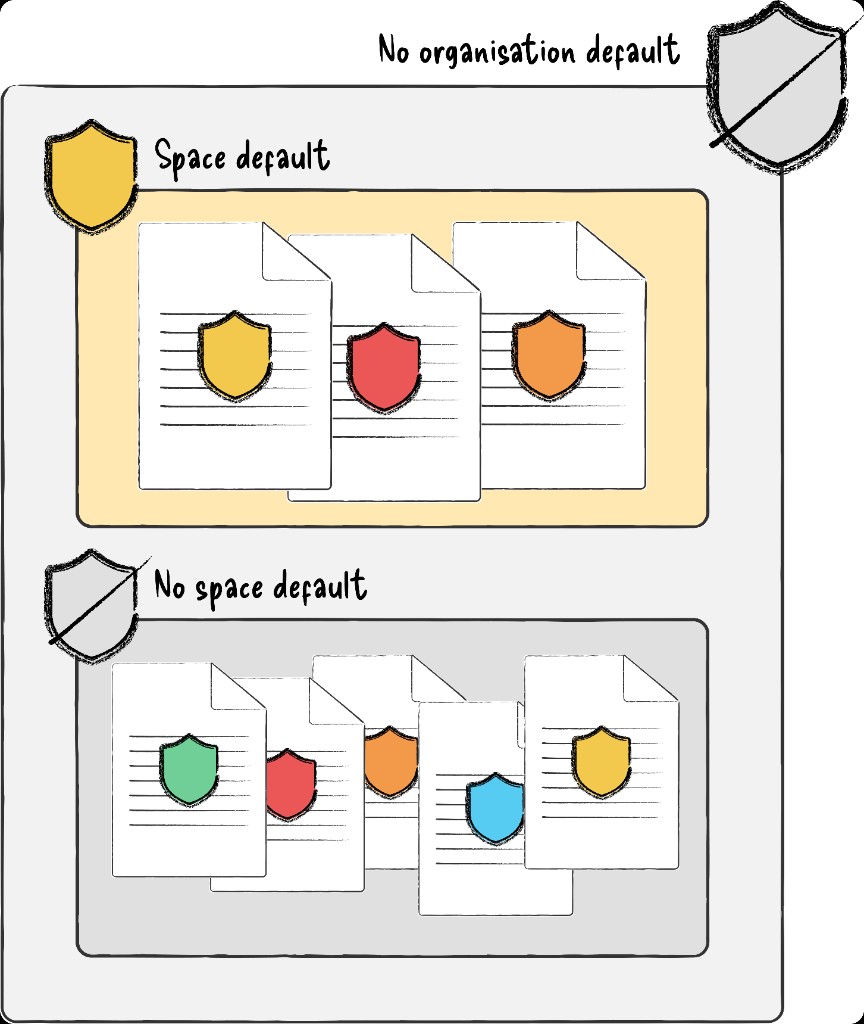
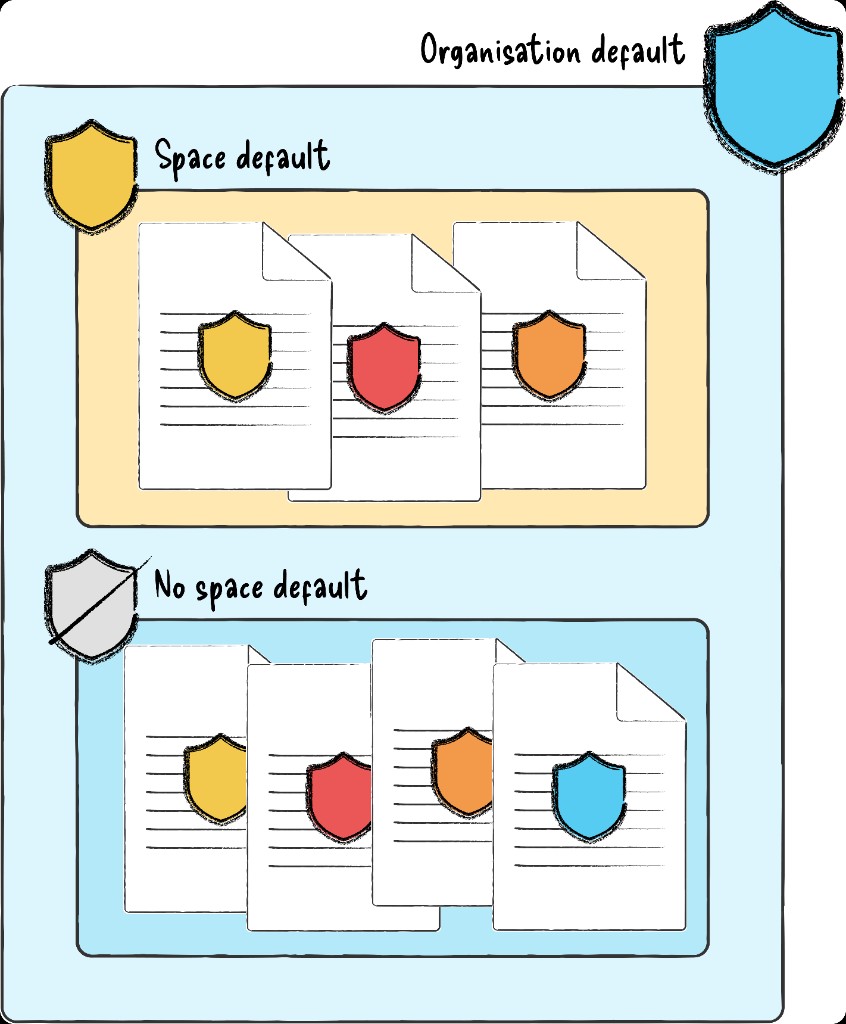
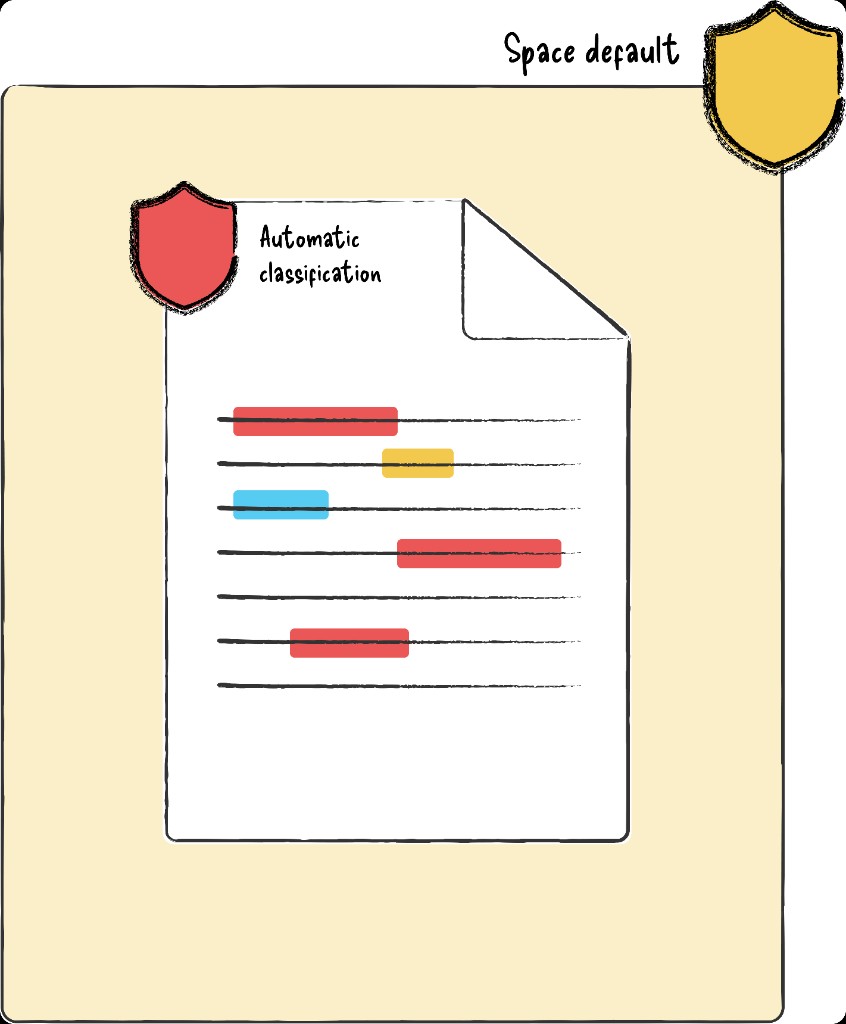
Diagrams based on the original working artefacts I used to pitch the concept model to my design team, and later the cross-functional team. The originals covered every priority pair, created and presented in a figjam.
The shift from abstract debate to concrete scenarios gave the team something to test, challenge, and refine. What had been a circular discussion became a clear direction - and with it, shared conviction across design, engineering, and product that the model was both feasible and worth pursuing.
Validating the concept model and its technical feasibility
Once the team was aligned on the direction, the next step was to prove the model would hold up in practice. I formalised it into a comprehensive set of configurations, identifying nine distinct patterns and expanding each into detailed setups, concrete scenarios, and expected behaviours, mapped to the kinds of customer models they would best support.
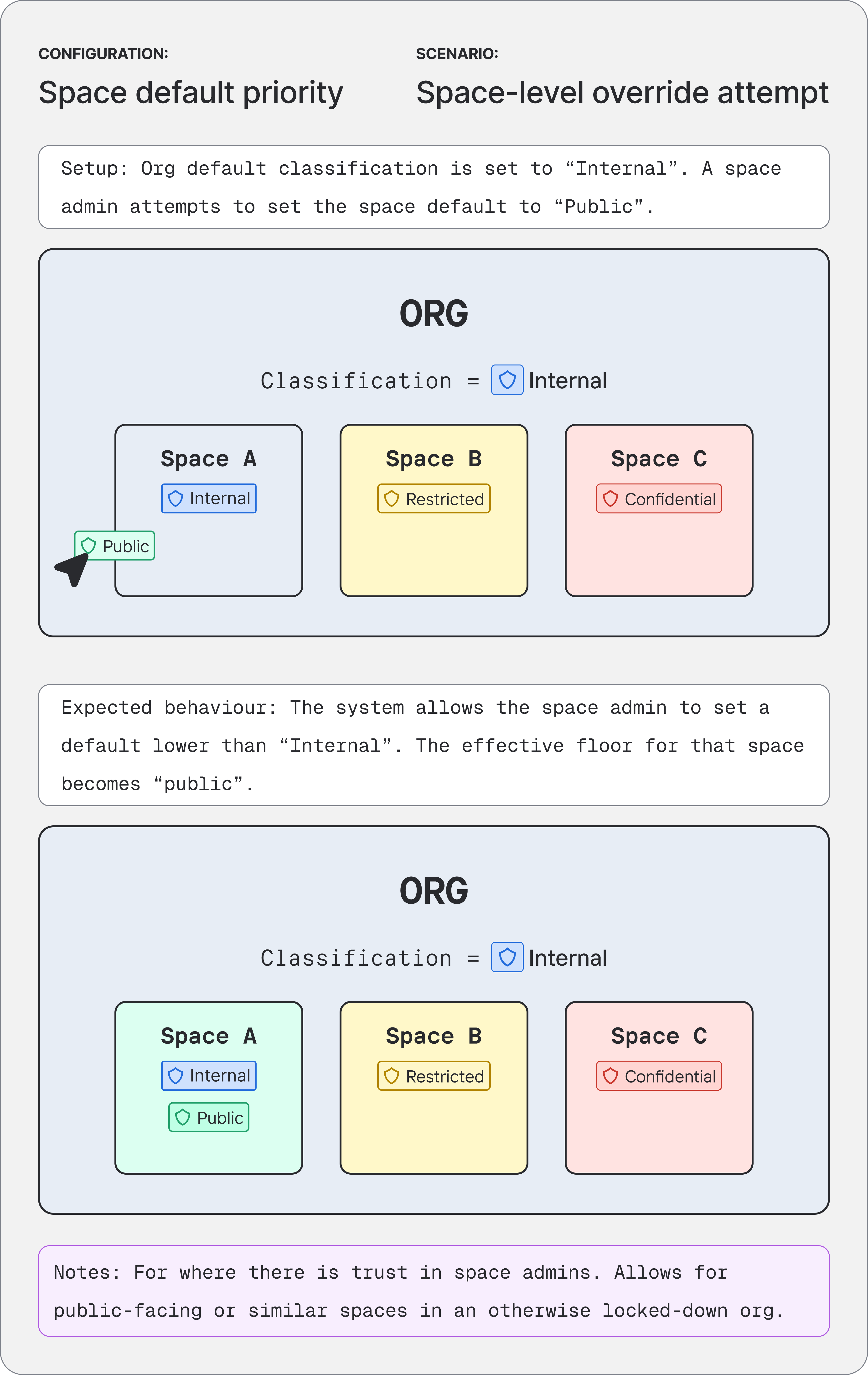
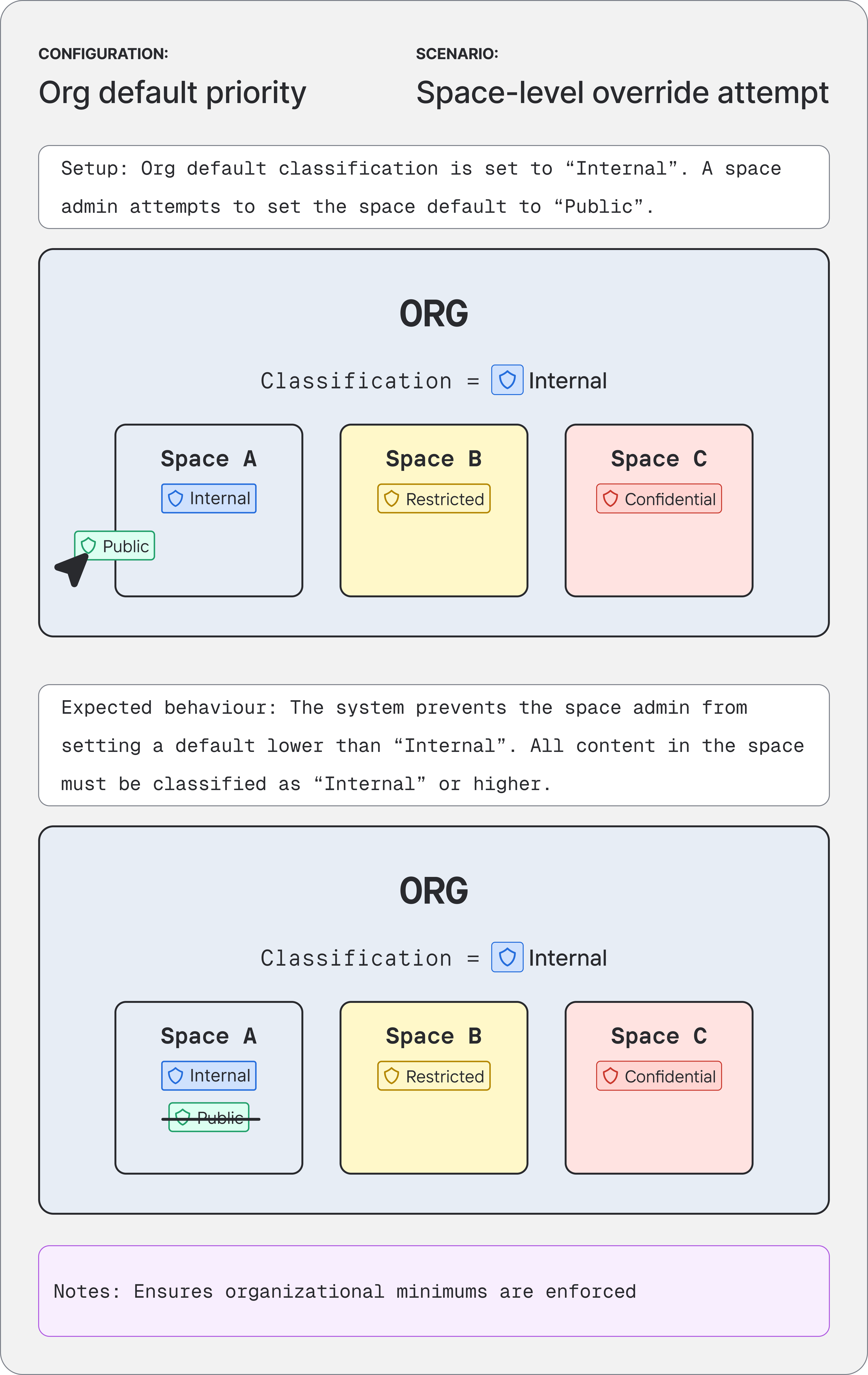
This artefact became the basis for a focused engineering spike to stress-test the model against real implementation constraints. The spike confirmed the approach was technically sound and implementable, turning a shared mental model into a de-risked path to shipping.
See the classification calculation model in action, in this interactive calculator I built.
Designing the settings
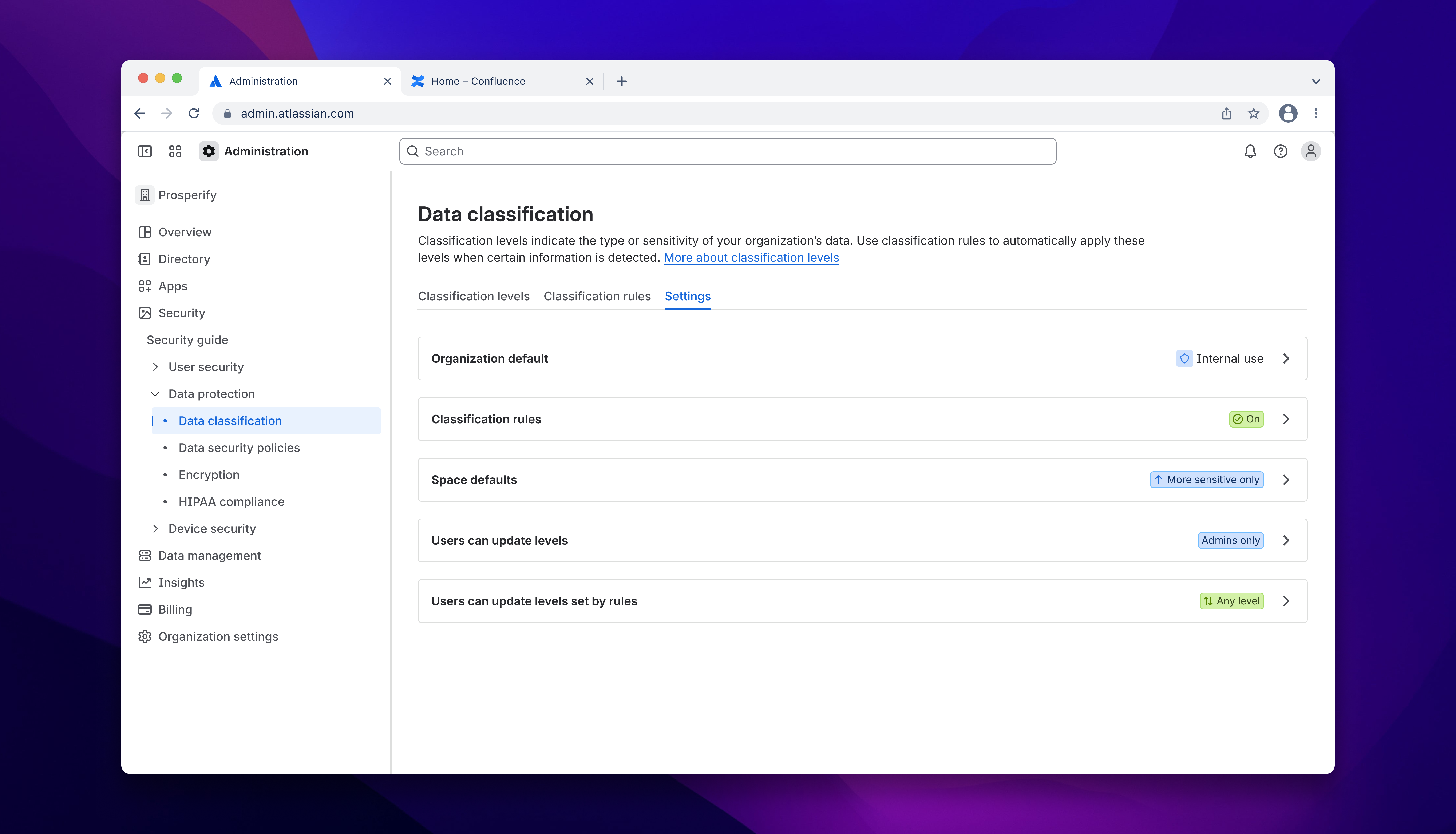
With the concept model approved, I needed to turn it into a configurable, trustworthy UI for admins. I designed the settings guided by three principles:
- Surface the consequences. Configuration changes carry real risk across the org. At every step, admins needed clear, in-context feedback about the impact of their choices - any friction here was intentional, not a design flaw.
- Expose the whole system at a glance. Because outcomes depend on how controls interact, admins needed a high-level view of how all settings work together, with the ability to adjust each one individually in a side panel that provides more detail.
- Make dependencies visible. Where one control influences another, that relationship needed to be explicit in the interface, so admins could understand not just what they were changing, but what else it would affect.
Together, these principles turned a previously opaque system into one where admins could confidently predict, explain, and adjust classification outcomes.
Outcomes
By reframing autoclassification around a clear concept model - and proving it through concrete scenarios, technical validation, and settings design - this work:
- Resolved a cross-functional impasse on autoclassification and unblocked the team to move the feature into implementation, closing a critical Guard Premium gap for regulated customers moving from Data Center to Cloud.
- Established a shared concept model for classification across design, product, and engineering; the visual artefacts and documentation served as the canonical reference for reasoning about configurations, trade-offs, and edge cases.
- Created an extensible foundation for Guard Premium's classification controls, where new classification methods can slot into the model without revisiting the core logic - giving admins a predictable, explainable system and Atlassian a scalable way to meet evolving security and compliance needs in Cloud.